
Press Esc to close · K to open

Add-on module for Shop Office Software or Run standalone

Distribution Mgr

The order-to-cash system for wholesale distributors who outgrew their legacy box, not their business. Multi-line orders, real customer pricing, a proper pick-and-ship split, and invoicing that reconciles. Add it to Shop Office Software when you run an order desk or run Distribution Mgr standalone.

One platform, add the module

An add-on module, not a second system.

Shop Office Software runs your shop floor and the shared core underneath it: inventory, customers, vendors, and purchasing. Distribution Mgr adds a full distribution order desk on top of that same database, so a wholesale item resale line and a make-to-order line sit in the same database and can share the same customer.

Run a manufacturing job shop? You may never need it. Run a wholesale distribution order desk at volume? It’s the module that carries your day.

Base system Shop Office Software Quoting, shop orders, inventory, customers, vendors, purchasing, job costing, scheduling, data collection, and dashboard KPIs.
+
Add-on module Distribution Mgr The distribution multiline order entry, release orders, pick, ship-confirm, prebill, invoice, and multi-level pricing.
The flow

Order Entry → Release → Ship Confirm → Prebill → Invoice.

That’s the menu, top to bottom. It’s also the day.
01
Order Entry One screen. Pick the customer and ship-to, add lines by your part number or theirs. Price, discount, and extension come from your rules. Live availability per line, with a red badge when you’re short.
02
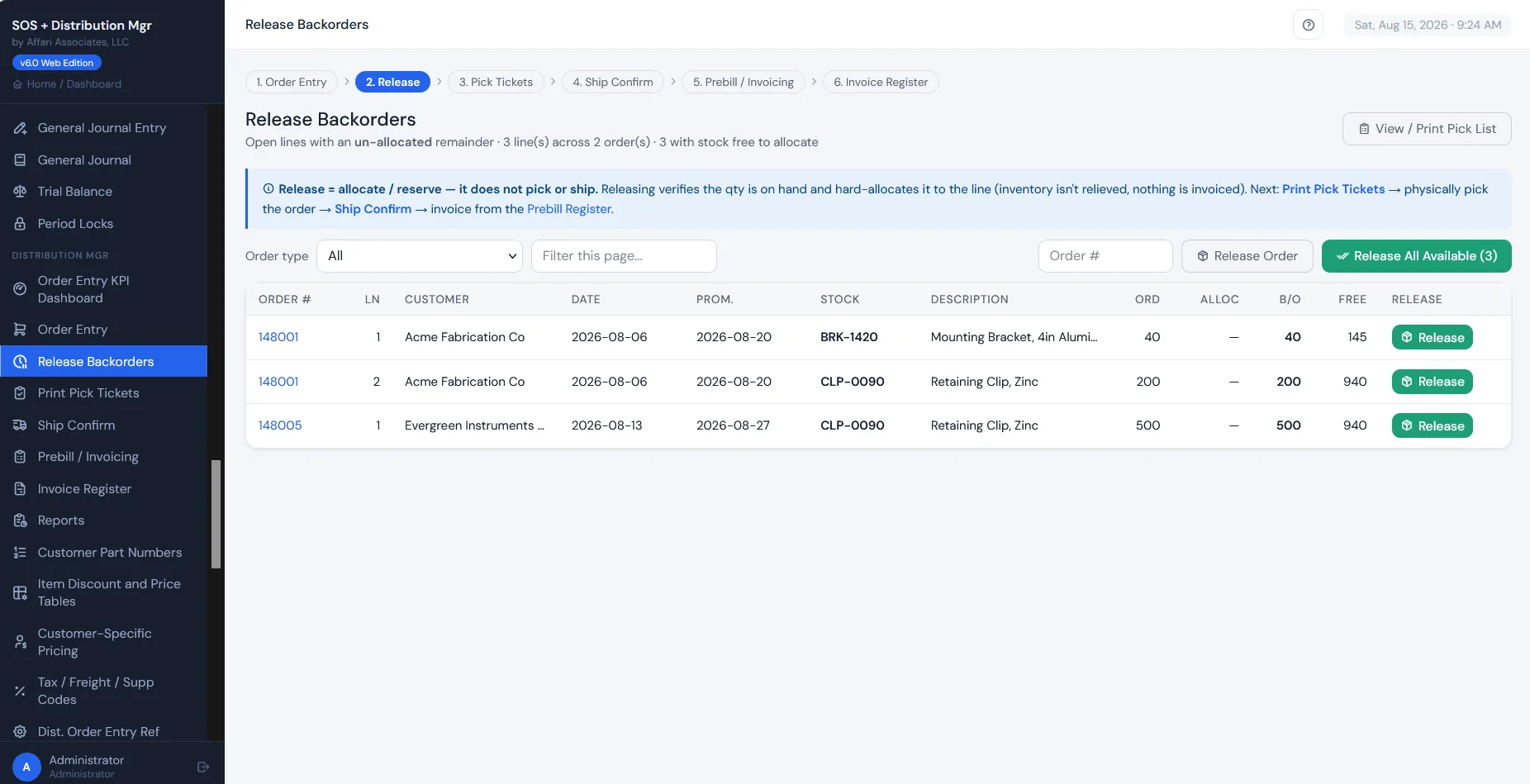
Release Backorders Allocate free stock to lines and build the pick list. Nothing ships and nothing relieves inventory yet. Release one line or everything available.
03
Ship Confirm The warehouse confirms. Ship complete, ship what was picked, or ship 2 of 3. Inventory relieves here. The remainder stays on backorder.
04
Prebill → Invoice Shipped-not-invoiced collects in one worklist. Invoice one or batch them. Discounts, restocking, drop-ship fees, freight, and tax apply automatically.
Distribution Mgr · Release Backorders Live
Release Backorders in Distribution Mgr
The order desk

Order entry built for speed.

The screen your order desk lives in. Customer, part, availability, and price resolve as you type, including the customer's own part numbers.
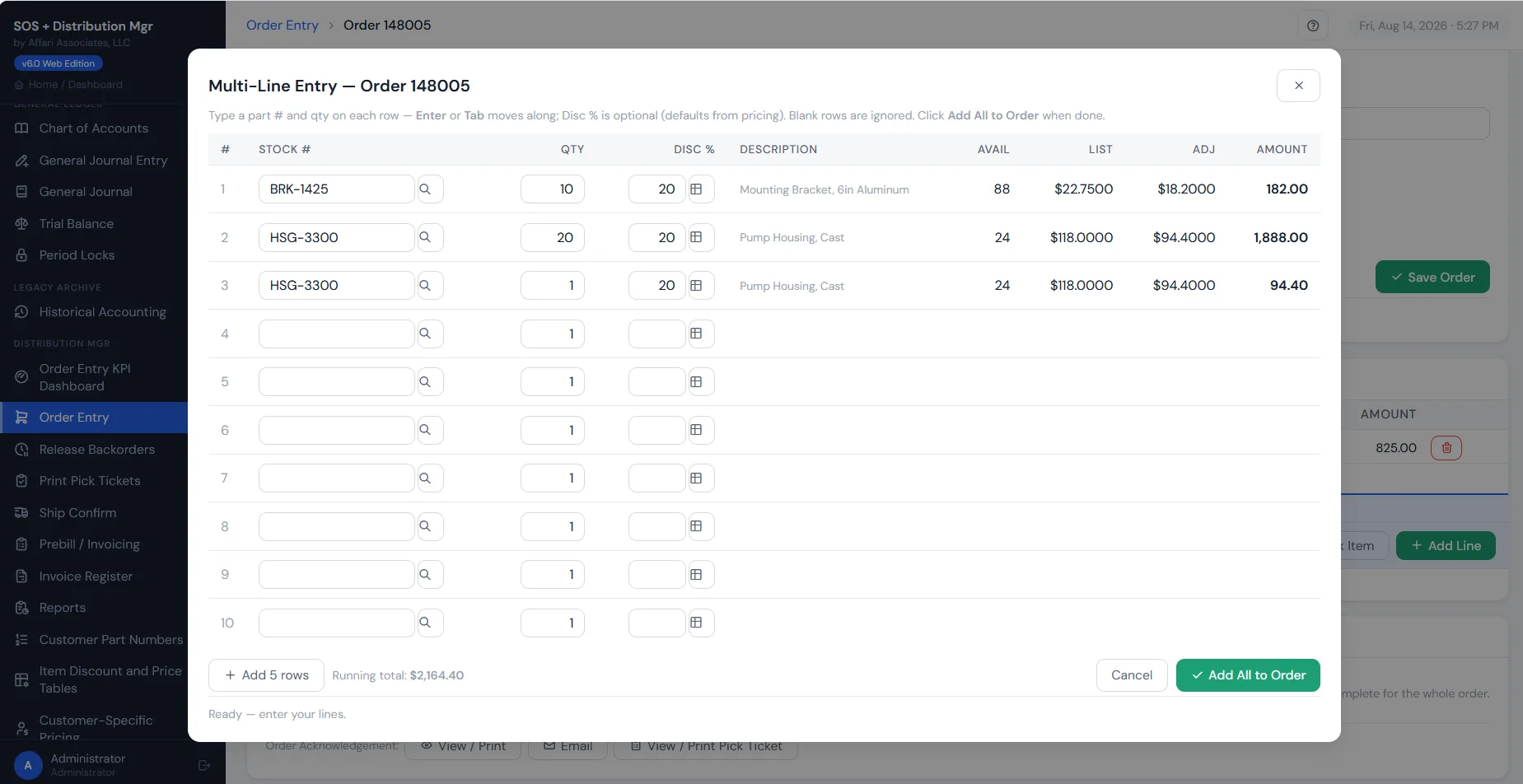
Availability and pricing resolve at the line
Green-screen keyboard speed, browser convenience
UPS shipping rates live using your UPS account
Multi-line order entry
The pricing engine

Your pricing is not a price list.

Rules by item, or by customer and item. Most specific wins. Quantity breaks. Discounts stack on top. And a customer part-number cross-reference, so your people can enter an order using the number the customer says on the phone.
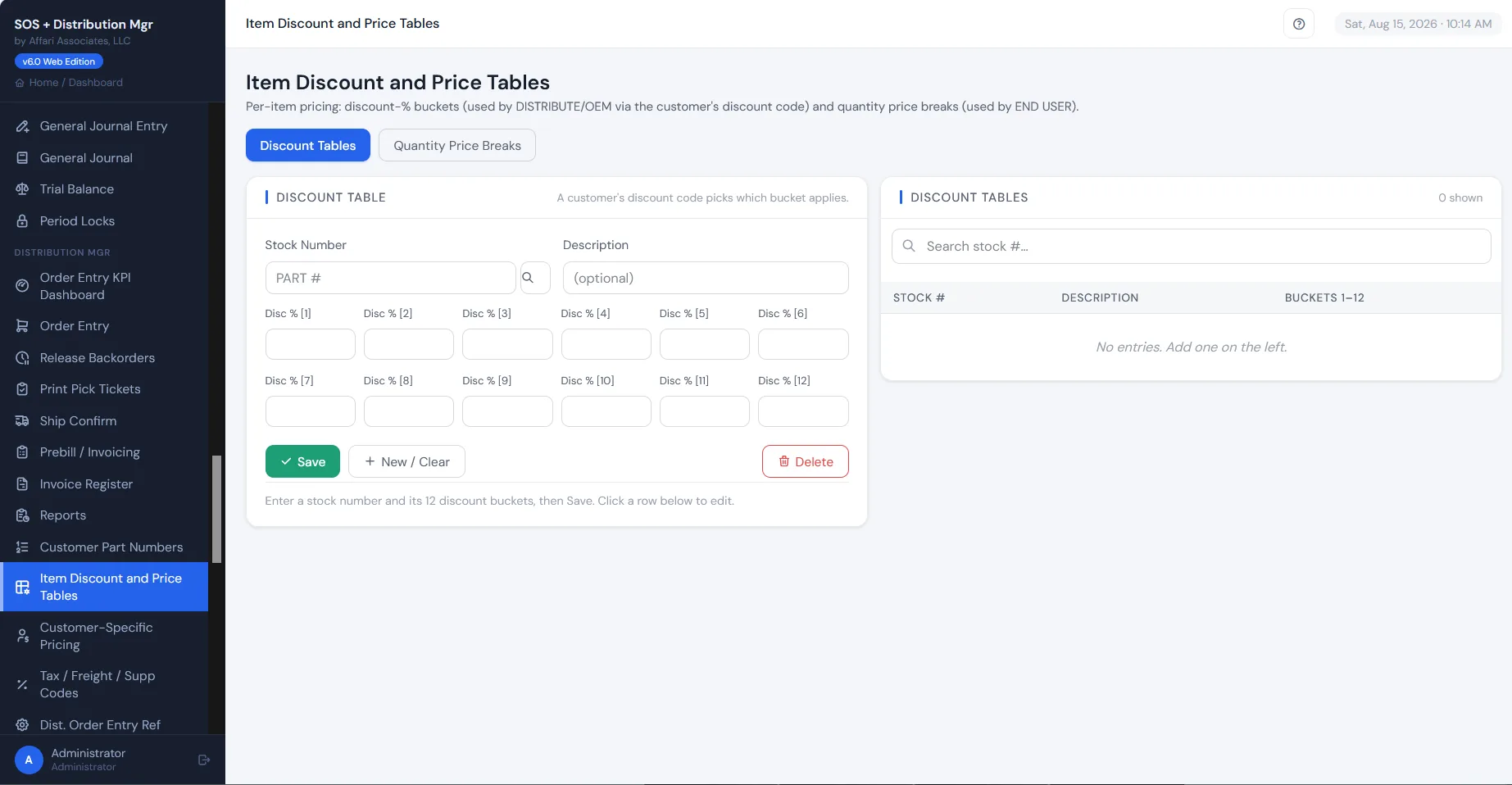
Customer, item-class, and quantity tiers
Discounts resolve automatically at order entry
Legacy price tables convert straight in
Item discount and price tables
Pick, ship & invoice

Nothing ships without a paper trail.

Release orders to warehouse floor for picking, confirm shipments against them, and prebill in the same motion. Nothing ships without a paper trail; nothing invoices twice.
Ship-confirm against released orders
Prebill review before anything invoices
Invoice register your bookkeeper will trust
Release Backorders
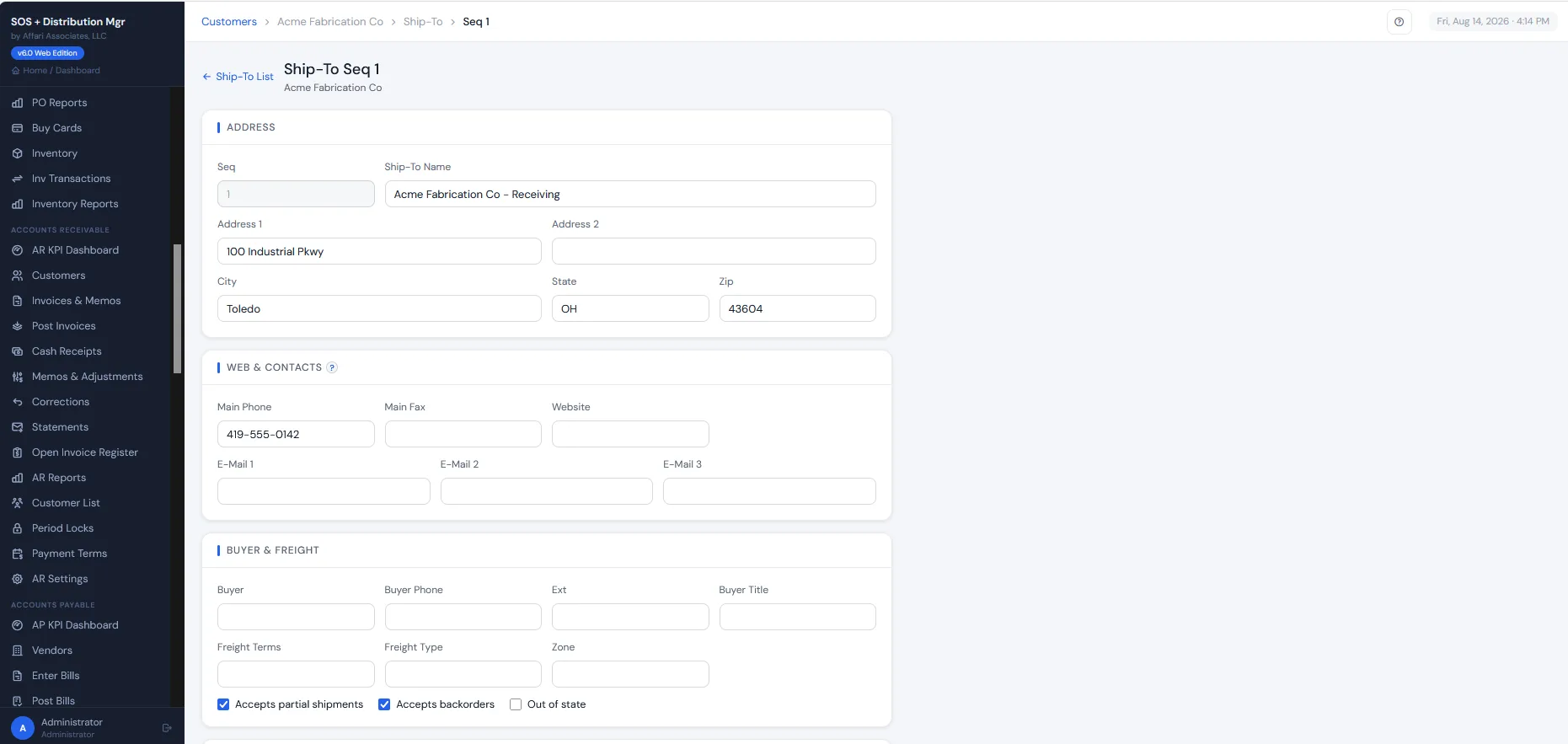
Customer ship-to detail
Customer

Customers, ship-tos & part numbers.

Every account with its locations, terms, salesmen, and the cross-referenced part numbers your customers actually order by. The detail that took you decades to build.

Ship-to locations, terms, and salesmen per account
Customer part-number cross-references
Decades of order history attached to the account
Also in the module

Everything the order desk touches in a day.

Quotations that don’t reserve stock
Credit and adjustment orders with automatic restocking
Salesman commissions
Tax, freight & supplementary charge codes with GL accounts
Order acknowledgements, quotations, and pick lists
Invoice and prebill registers
Order-desk KPI dashboard
Customer part-number cross-references
Clean handoff to the accounting modules
Your history, intact

Your customers, ship-tos, items, open orders, and years of order history convert into Distribution Mgr, into a working sandbox you check against your own reports before go-live.

See the order desk running on your data.

A 30-minute call, and a sandbox with your customers, parts, and pricing if you want one.