Everything the office runs on. Nothing you have to babysit.
These are real screens from SOS, not mockups. Quote to shipped job, with the shared core — inventory, customers, vendors, and purchasing — on one database underneath.
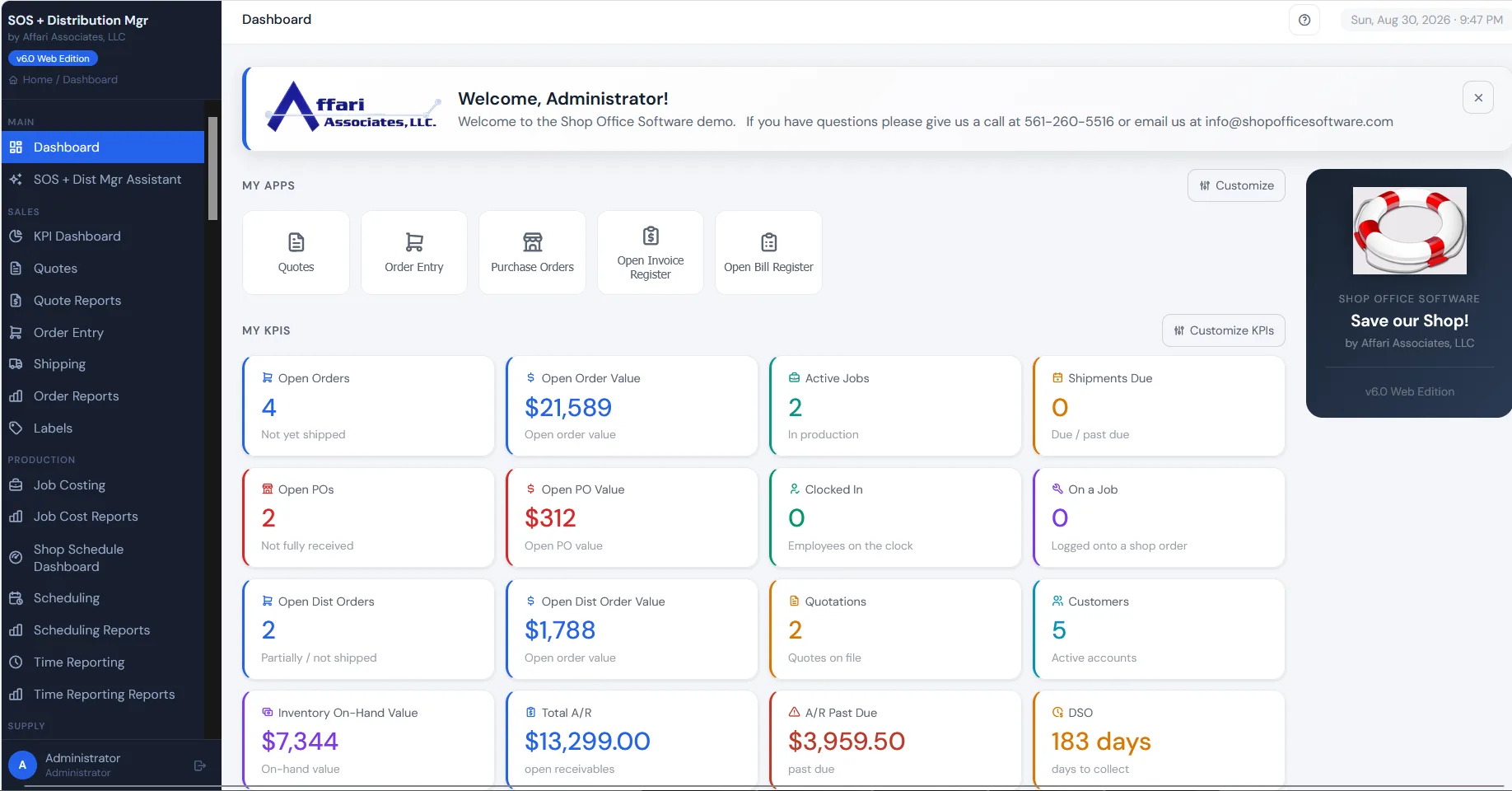
Microsoft 365, wired in.
Your crew signs in with the Microsoft account they already use, and your paperwork goes out of your own company mailbox. No SMTP host to babysit, and no mailbox password stored anywhere.
Microsoft 365 sign-in New
The same account they open Outlook with signs them into SOS and Distribution Mgr, against your own Microsoft 365 tenant. One less password to reset, and whatever your IT already enforces — MFA, conditional access — comes along with it.

Microsoft 365 email, through Graph New
Invoices, order acknowledgements, quotations, purchase orders, and statements send straight from your own Microsoft 365 mailbox using Microsoft’s Graph API — the supported path now that Microsoft has retired password sign-in to its SMTP server.
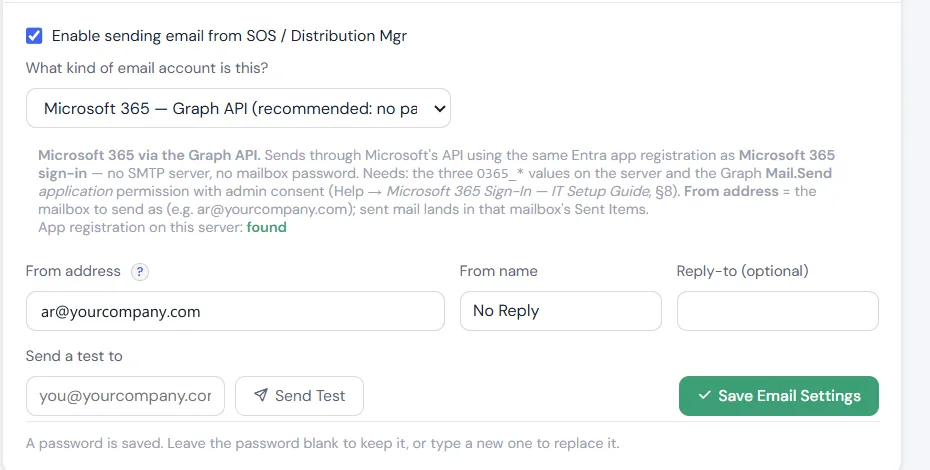
Not on Microsoft 365? Nothing changes: users and passwords still work, and SMTP is still there for an Exchange relay, a smart host, or your ISP.
Three big additions, in both systems.
A dashboard you pin yourself, a change log that sees everything, and an AI assistant that answers from your own data — new in SOS and Distribution Mgr.
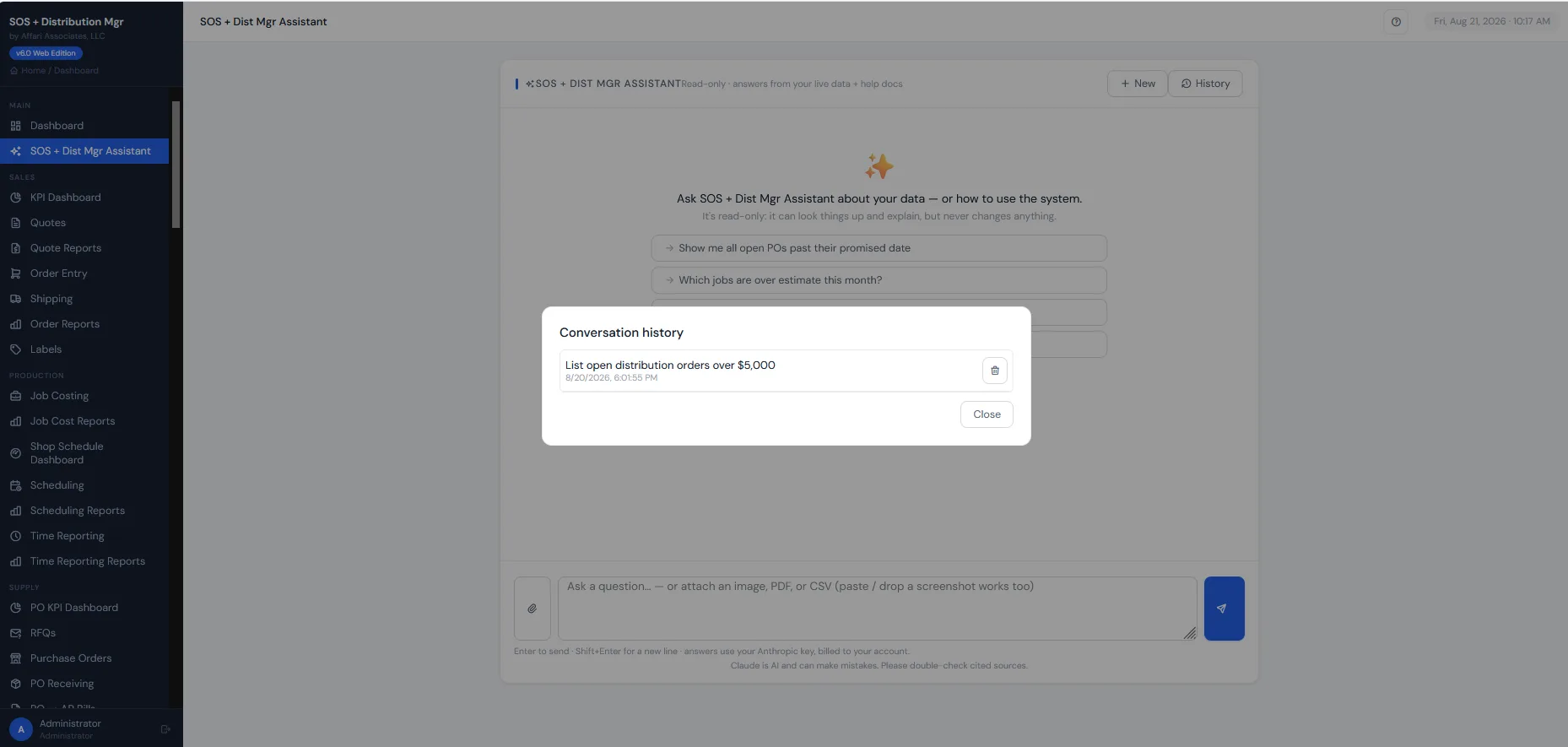
SOS + Dist Mgr Assistant New
Ask about your own business in plain English — “show me all open POs past their promised date” — and the Assistant, built on Claude AI, reads your live data and the help docs to answer. It’s strictly read-only: it can look things up and explain, but it can never change your data.
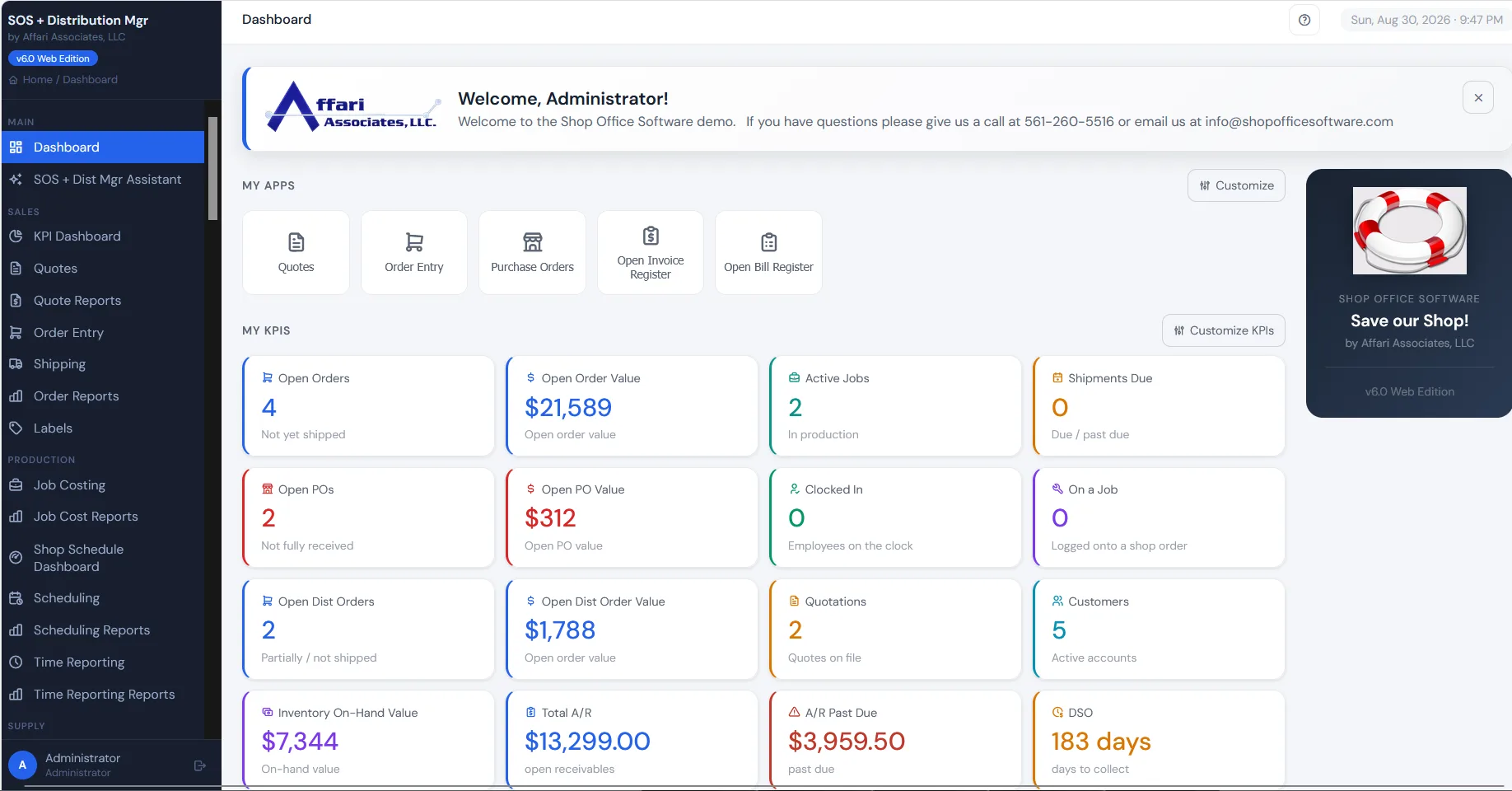
My Apps & My KPIs: your dashboard, your way New
Everyone runs a different desk, so everyone gets their own dashboard. Pin your most-used screens to the top and choose which KPI tiles you watch: the estimator sees Quotes, the buyer sees Purchase Orders, the owner sees the money. And the dashboard greets your crew with your own logo and welcome message.
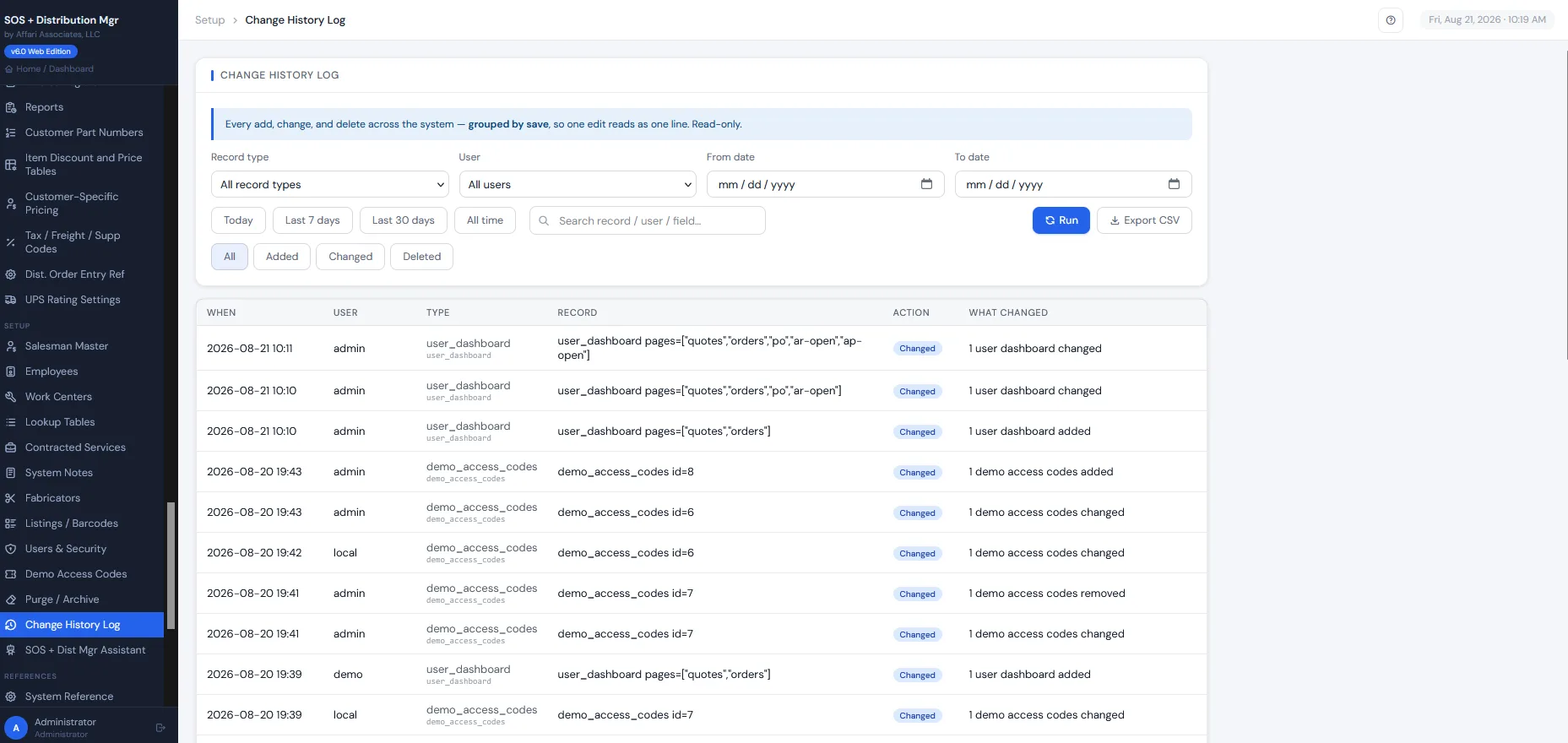
Change History Log New
Every add, change, and delete in the system is recorded: who, when, and exactly what changed, field by field, grouped by save. Check it right on the record with one button, or run the system-wide report and filter by user, record type, or date.
Quote it, route it, cost it, ship it.
The shop floor and the shared core: inventory, customers, vendors, purchasing, A/R, A/P and GL.
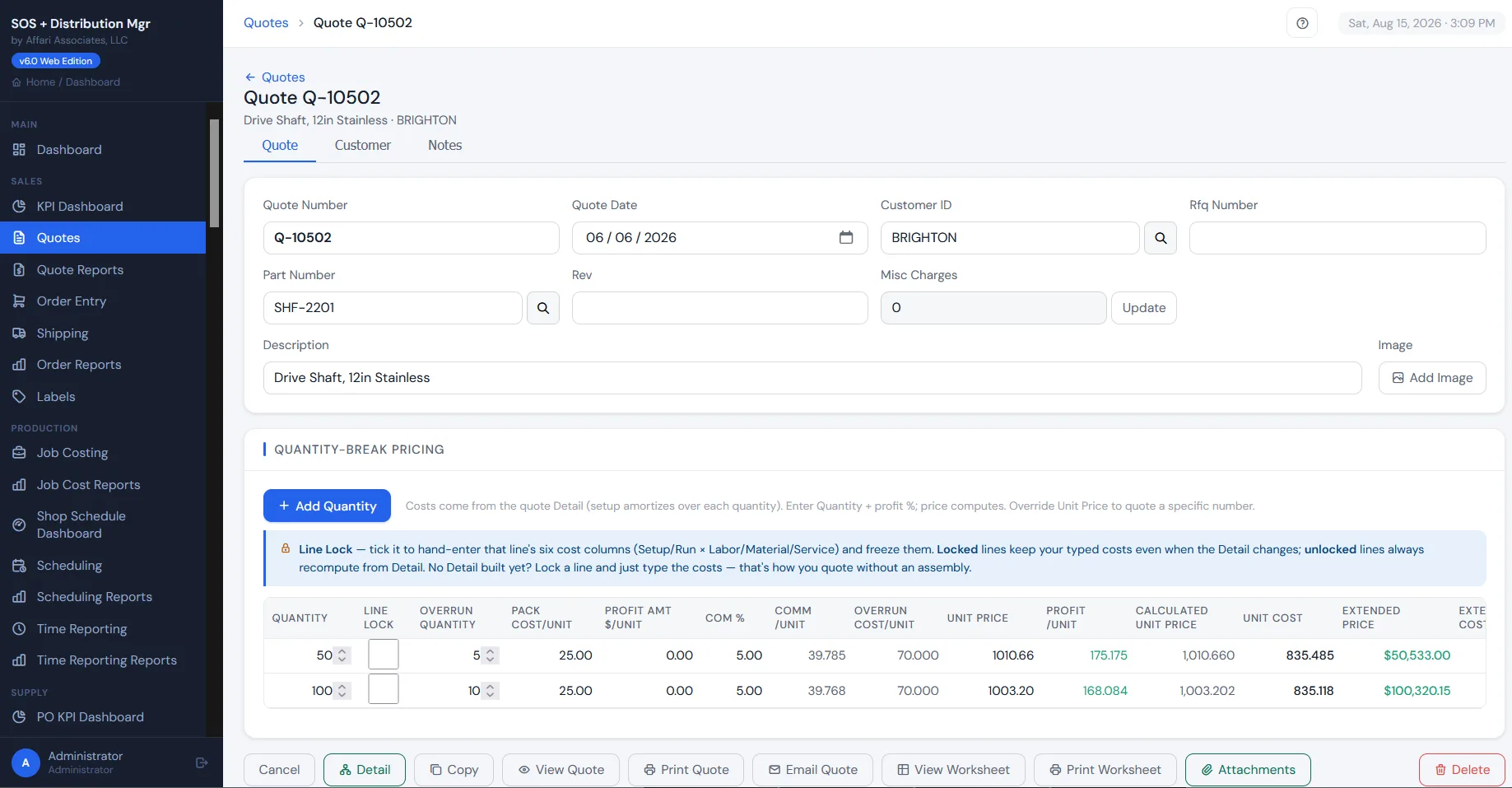
Quoting
Estimates that carry material, operations, and margin, and convert to orders without retyping a line. Quote history stays with the part, so the next time it comes up you requote from what the job actually cost, not a guess.
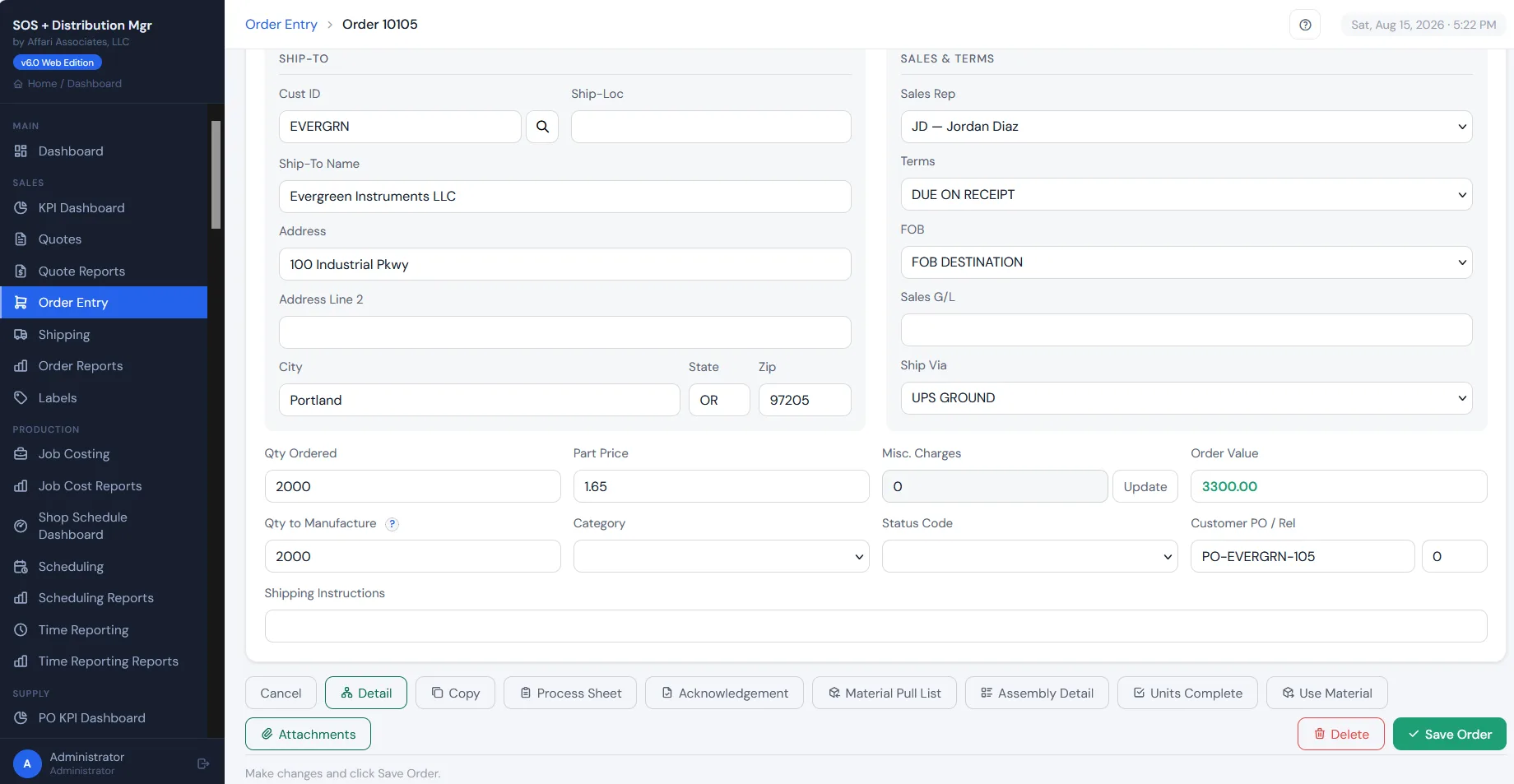
Order Entry
The shop order carries everything: the ship-to, terms, sales rep, and quantity to manufacture, with the paperwork the floor runs on — process sheet, acknowledgement, material pull list — printed straight from the order.
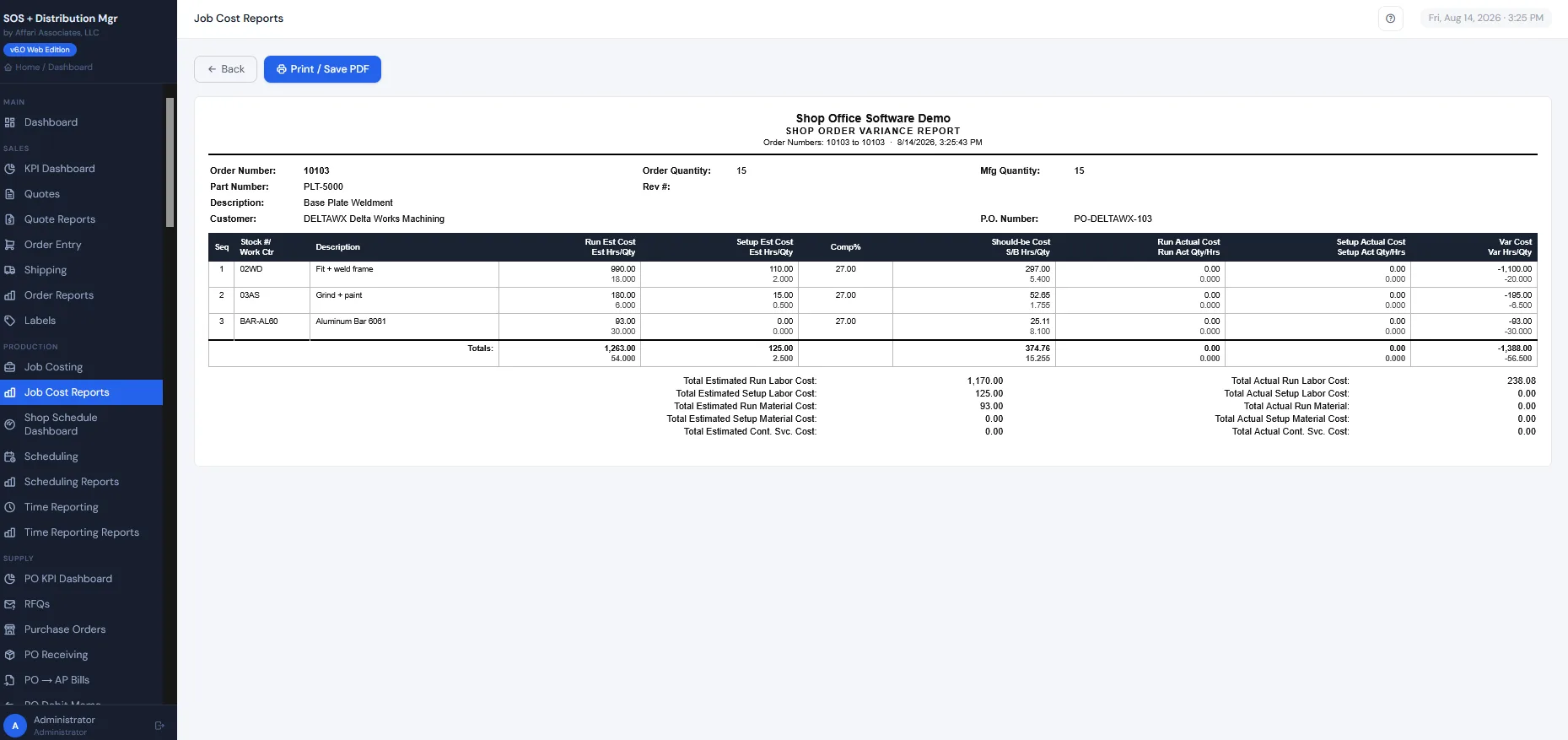
Job costing, estimate vs. actual
Material, labor, and outside services cost onto the job as they happen, so you know whether you made money on a part before you quote it again.
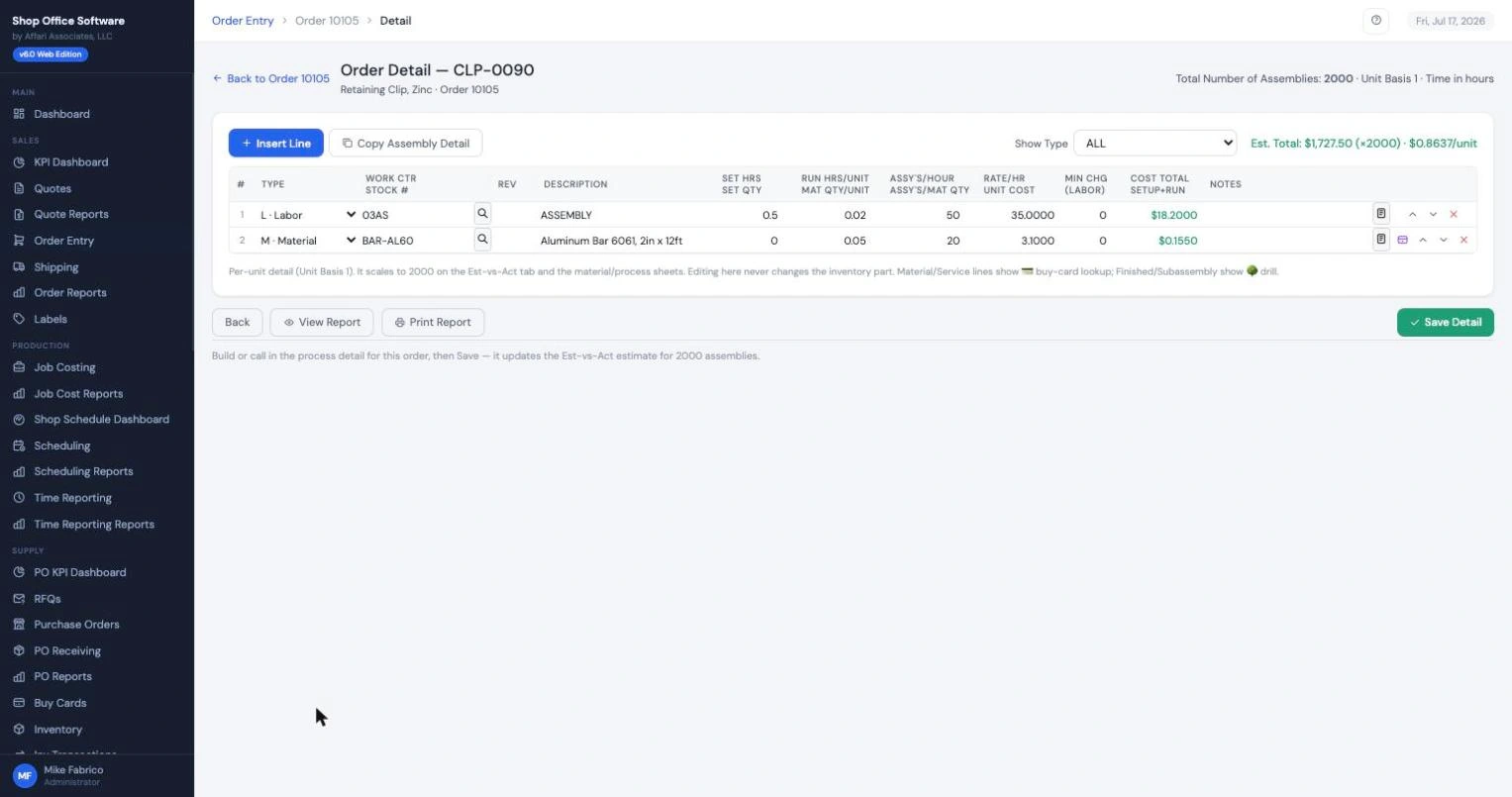
Process routing on the order
Operations and materials live on the order itself: the routing, the work centers, the material issues. The shop sees exactly what the office promised.
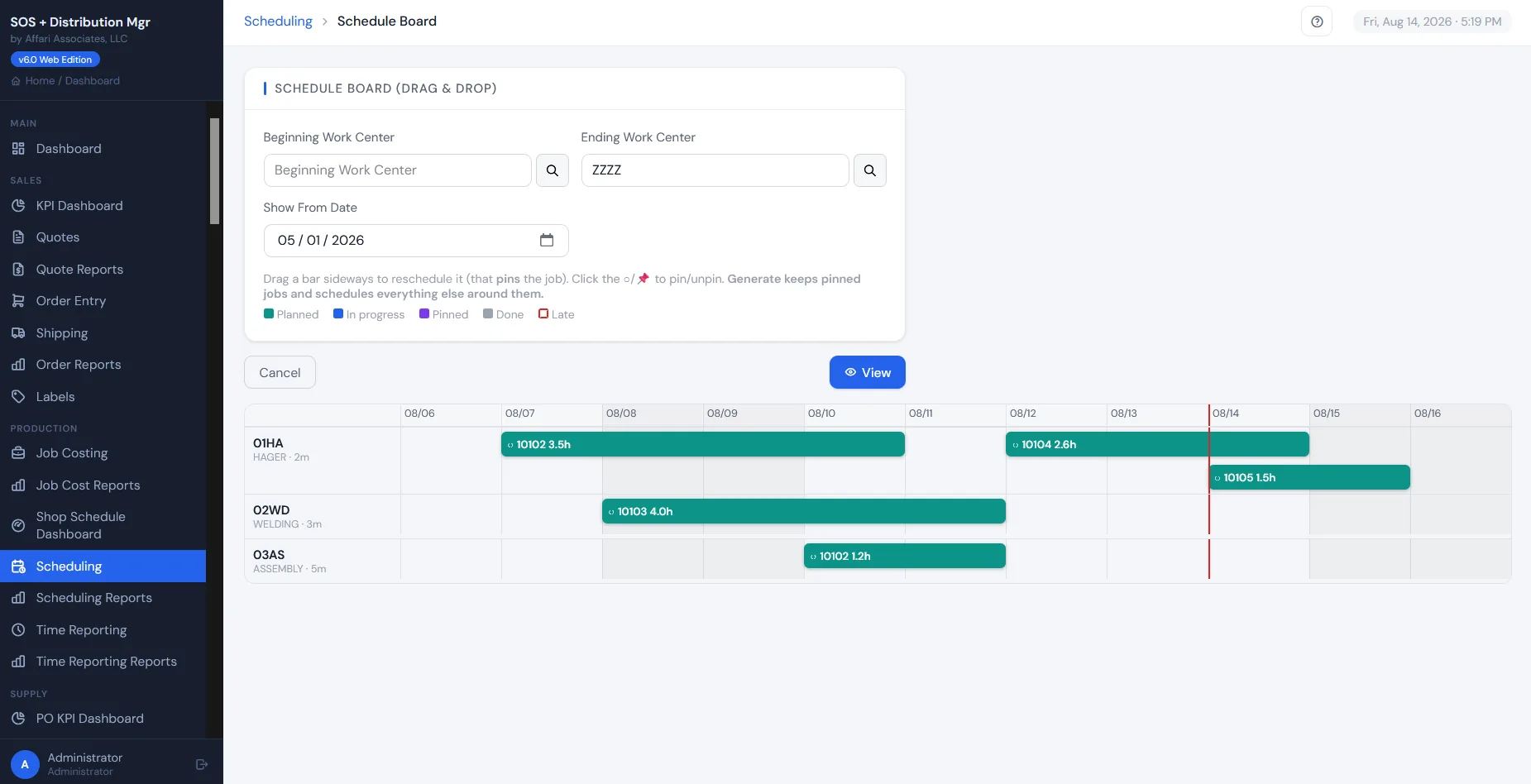
Finite-capacity scheduling
Schedule against what your work centers can actually do (real hours on real machines), not an infinite-capacity wish. You see the overload before it hits the floor and promise dates you can keep.
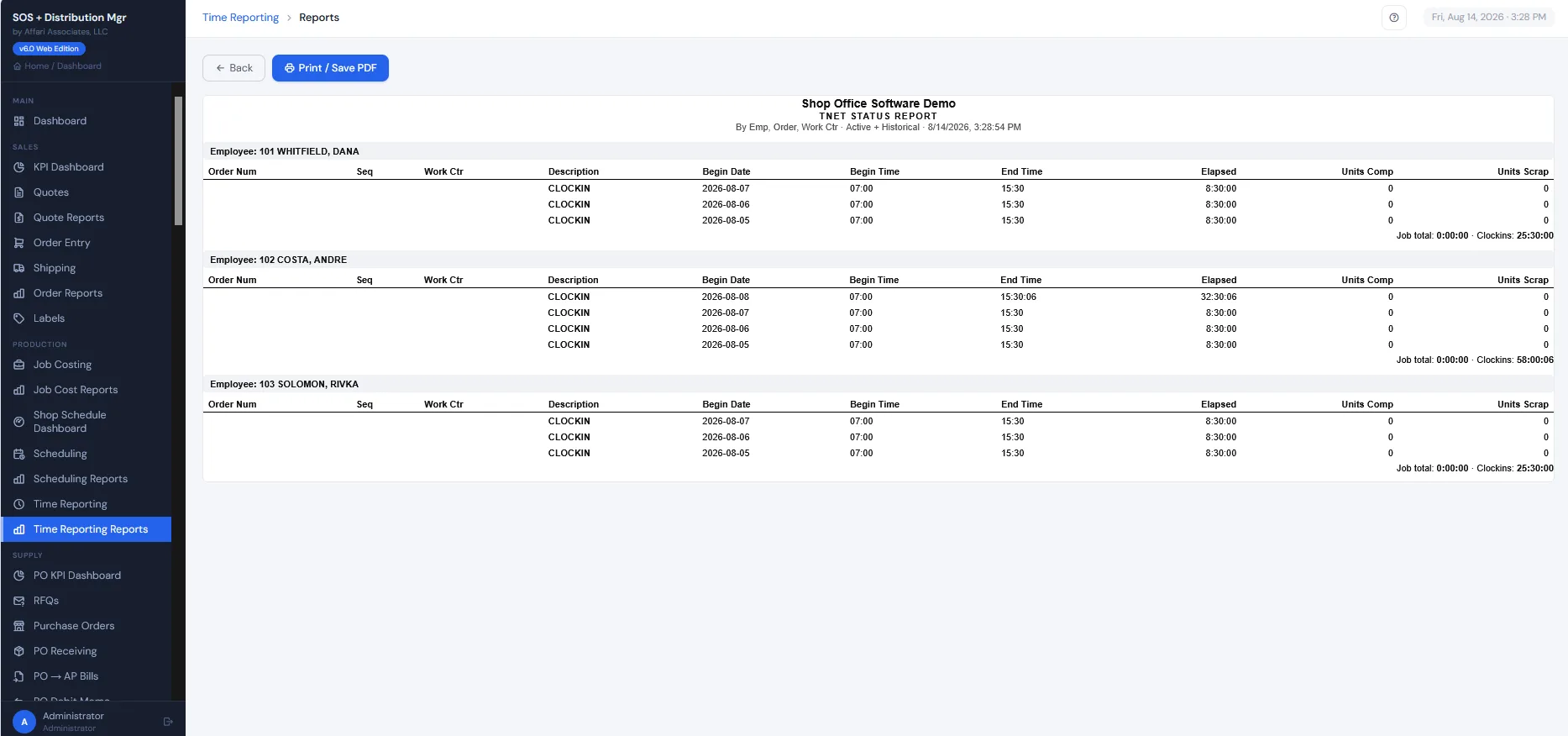
Shop Floor Data Collection
Your crew clocks onto jobs from any browser or TNET data collection device on the floor. Labor lands on the job in real time. No time cards, no Friday data entry.
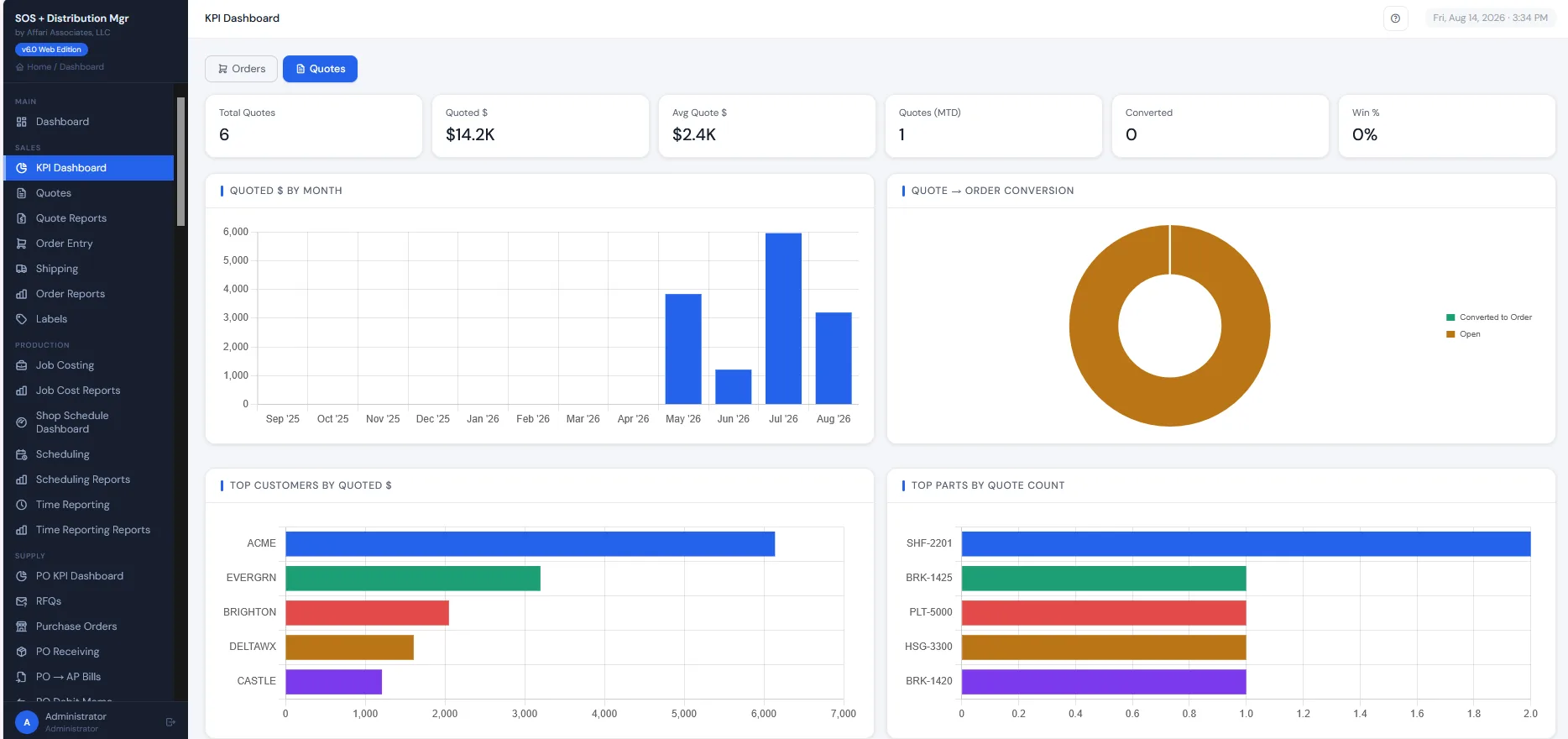
KPI dashboards
Bookings, shipments, open orders, and WIP: live, not in a month-end report. The owner's morning coffee screen.
Inventory at real volume
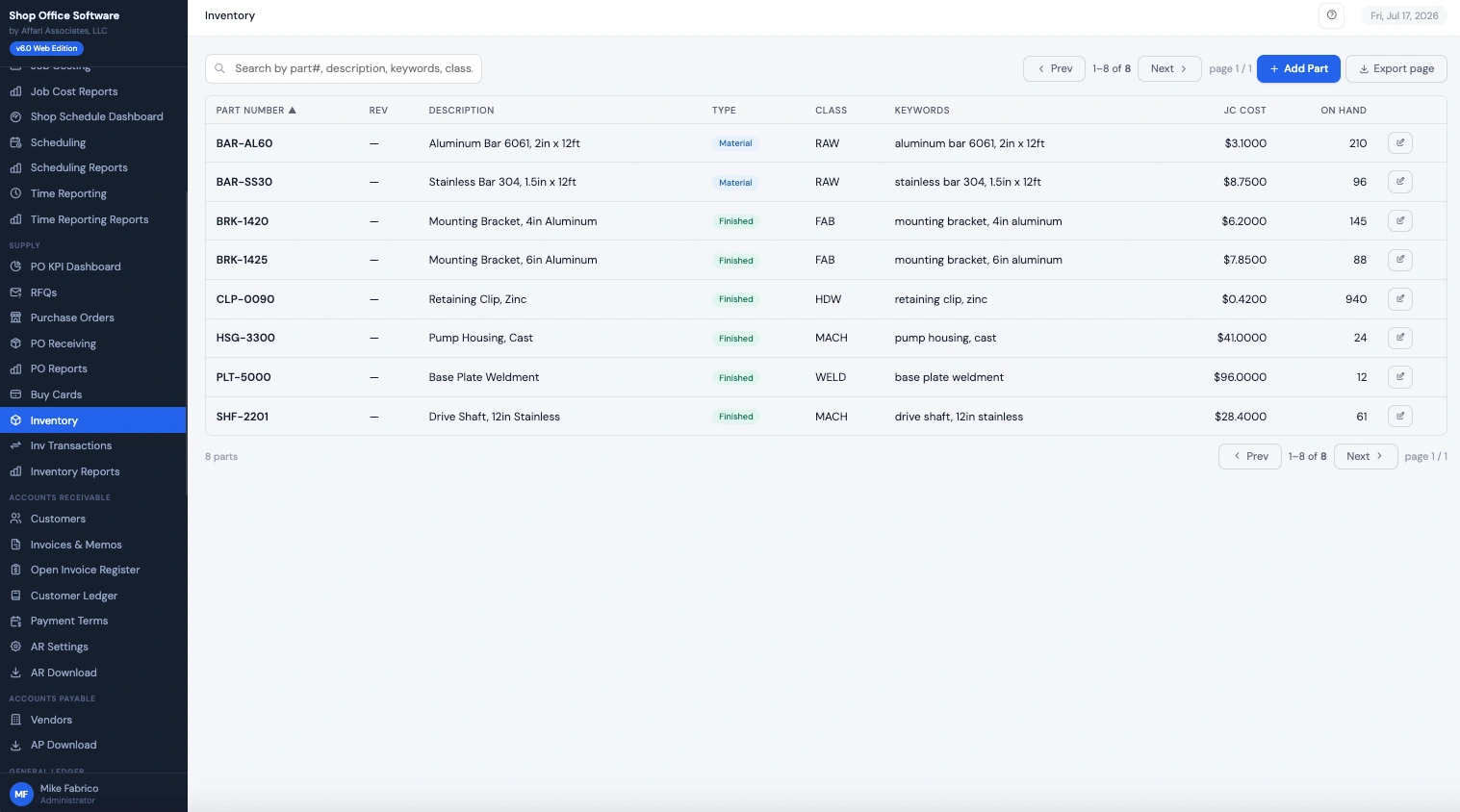
Thousands of SKUs with costs, quantities, classes, and the complete transaction history behind every number. Finished goods and raw material in one list.
Purchasing & RFQ
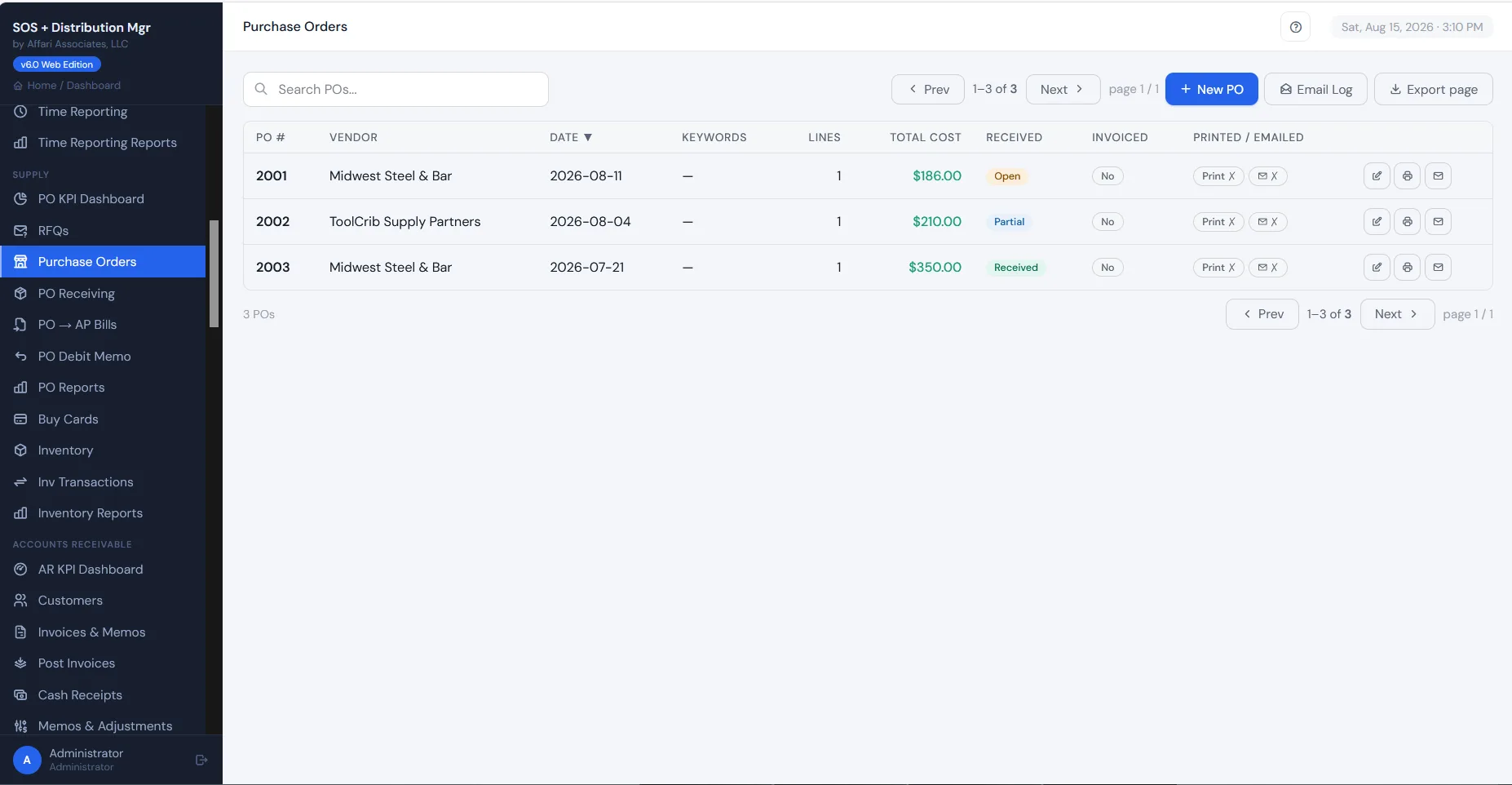
Purchase orders, vendor RFQs, and receipts stay tied to the demand that created them, whether a sales order or a reorder point, so the buyer can see why every line exists before cutting a PO.
The books, in the same system as the work.
A/R, A/P, and GL post from shipments, receipts, and bills — no re-keying into a separate accounting package.
Accounts Receivable
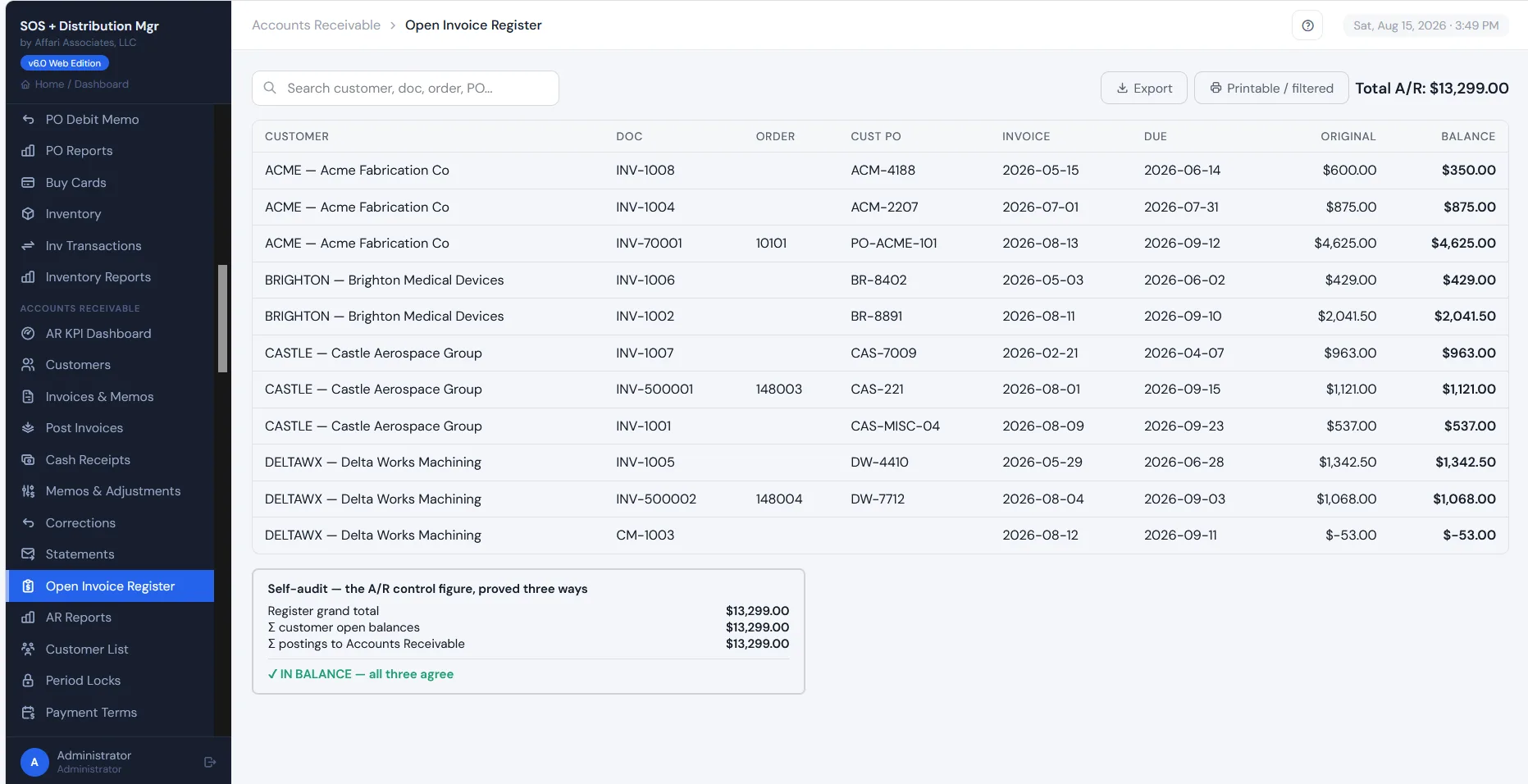
Invoices post from shipments, cash receipts apply against them, and the open invoice register proves itself: the register total, customer balances, and GL postings all tie to the same number.
Accounts Payable
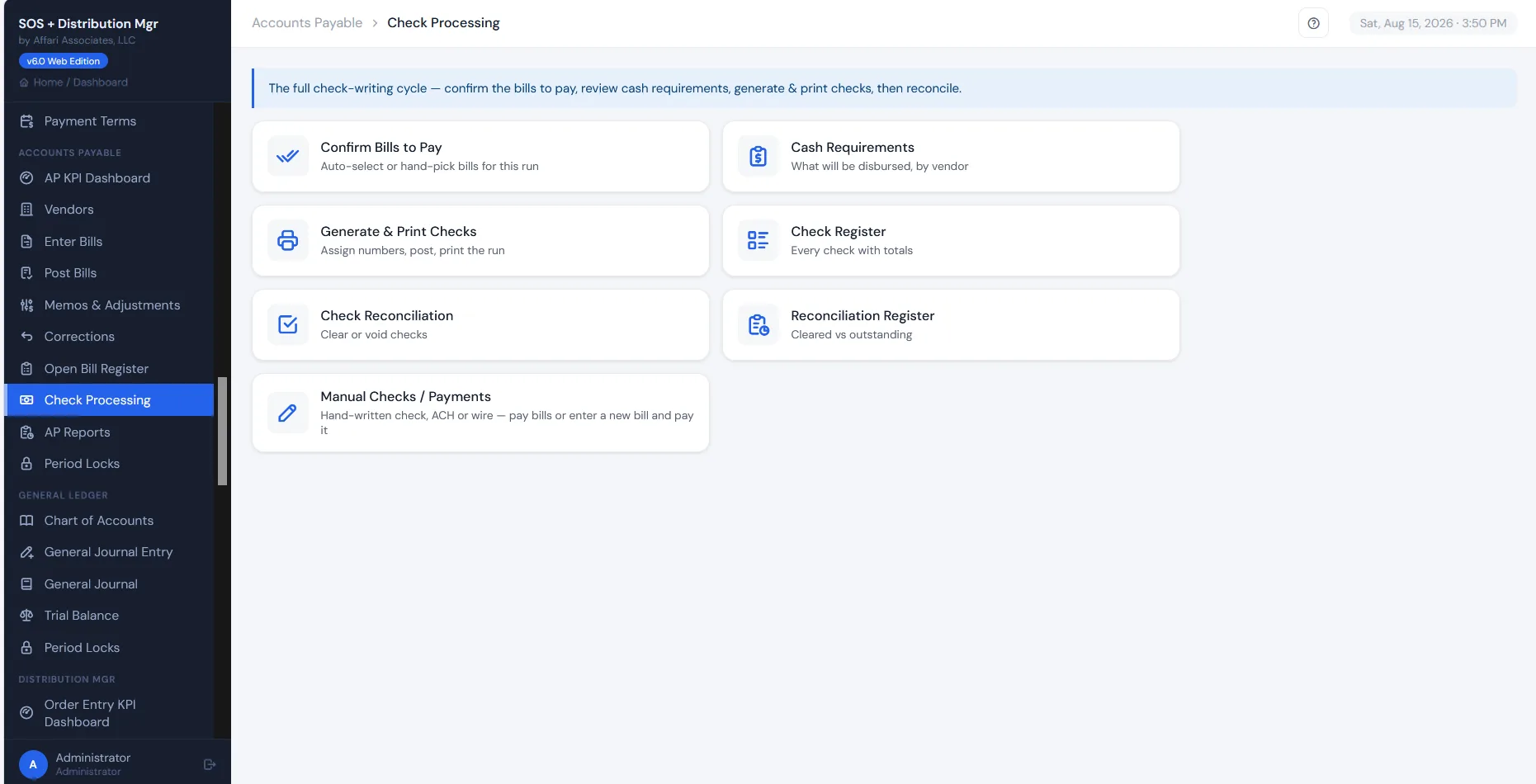
Bills come in from PO receipts or straight entry, and the full check-writing cycle is built in: confirm what to pay, review cash requirements, print the run, reconcile the checks.
General Ledger
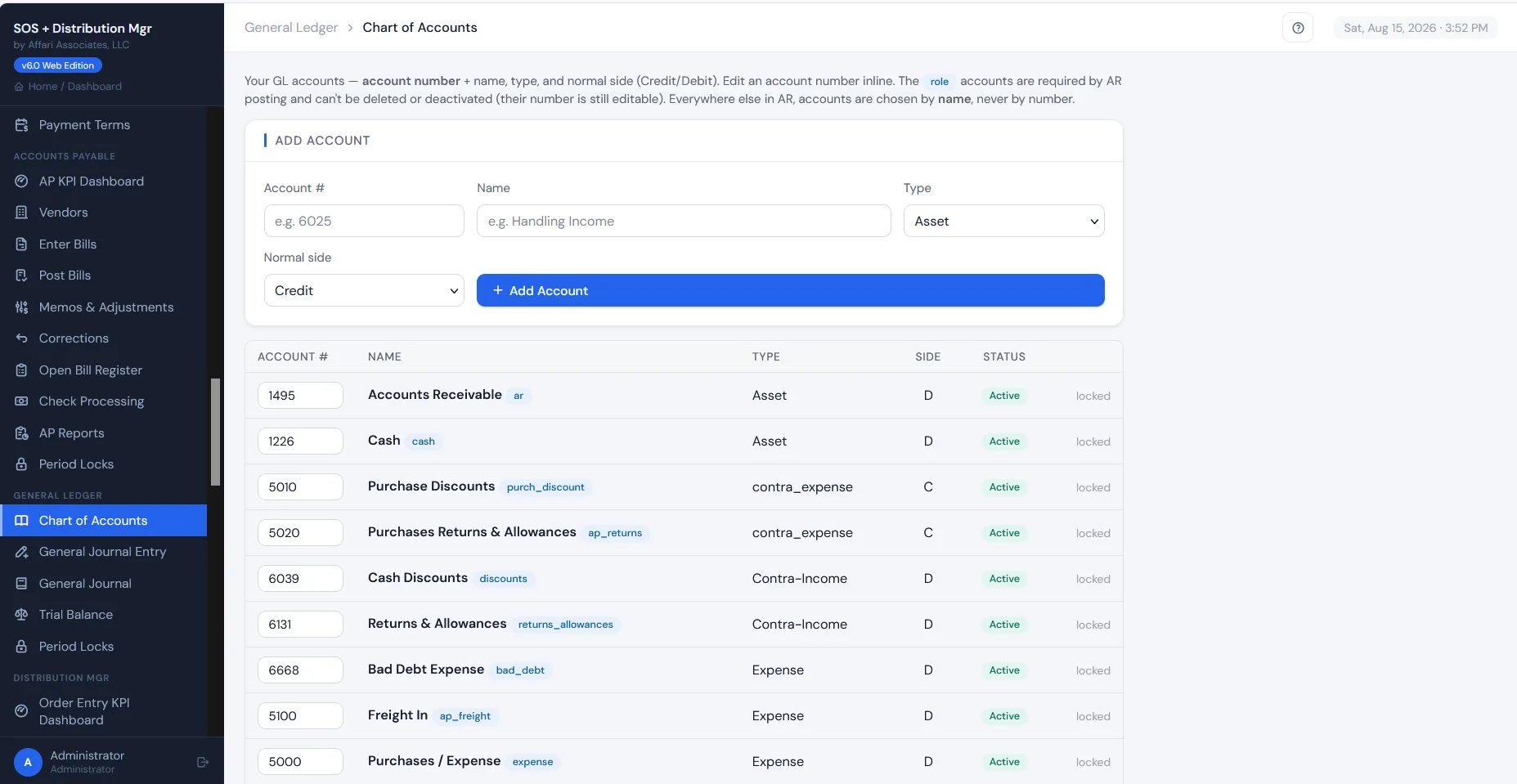
A real chart of accounts with journal entries, trial balance, and period locks. A/R and A/P post into it automatically, so the books follow the work without re-keying.
Run a wholesale distribution order desk?
Order entry, customer & item pricing, pick, ship & invoice — the whole order desk lives on the Distribution Mgr page. See Distribution Mgr →
See it running on your data.
Every screen above can be showing your customers and parts within days.
Book a 30-minute demo Get a demo code